
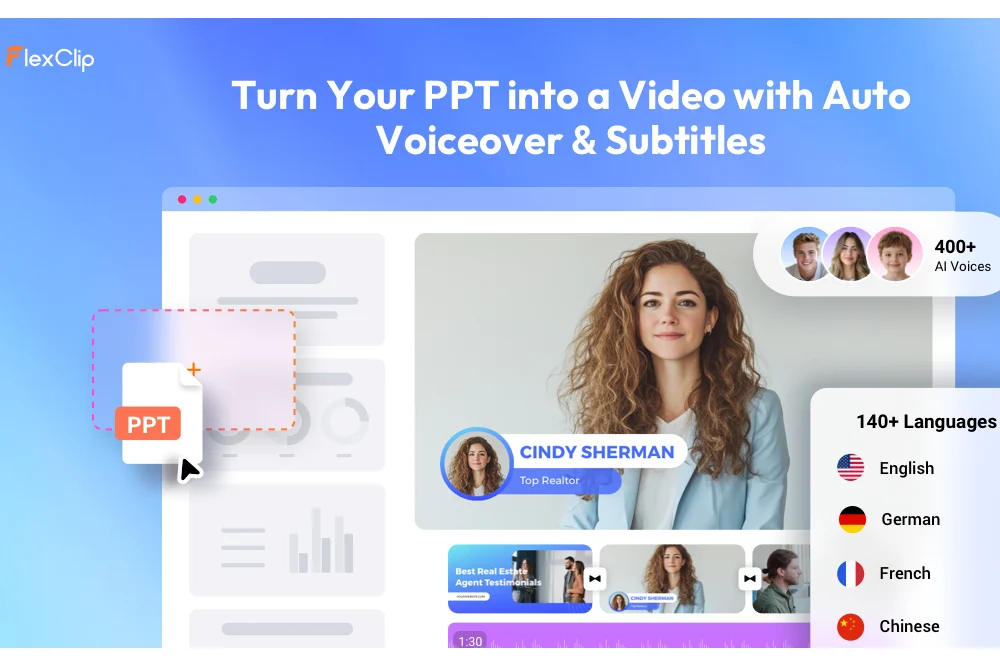
PowerPoint presentations have always been effective for delivering information — but in today’s digital environment, static slides are no longer enough to capture attention.
Modern audiences expect motion, narration, subtitles, transitions, and mobile-friendly viewing experiences. Whether it’s online learning, product pitching, internal training, or social media marketing, video has become the preferred communication format.
This growing demand has led to a new category of AI-powered tools designed to transform presentations into videos automatically. One of the most interesting platforms in this space is FlexClip AI PPT to Video.
Instead of manually recording presentations, editing voiceovers, syncing animations, and exporting timelines, FlexClip uses AI to automate much of the process. After testing the platform extensively, the tool feels less like a simple PPT converter and more like a lightweight AI production studio for presentation-based content.
Table of Contents
Why PPT-to-Video Tools Are Suddenly Everywhere
The popularity of AI presentation tools reflects a larger shift in how businesses and creators communicate online.
Traditional PowerPoint slides work well in meetings, but they are less effective for:
- Remote learning
- Social media distribution
- Asynchronous communication
- Product demos
- Online courses
- Marketing campaigns
Video solves many of these limitations because it combines visuals, narration, pacing, subtitles, and storytelling into a more engaging format.
The problem is that traditional video production takes time.
Creators often need to:
- Record voiceovers
- Edit slide timing
- Add transitions
- Synchronize narration
- Export multiple versions
- Optimize for different platforms
FlexClip attempts to simplify all of this using AI automation.
How FlexClip’s AI PPT to Video Tool Works
The workflow is intentionally straightforward.
Users upload:
- PPT files
- PPTX presentations
- PDF documents
The platform currently supports files up to 100 pages, making it suitable for both short presentations and large training materials.
After upload, the AI automatically:
- Reads slide content
- Generates presentation scripts
- Creates voiceovers
- Adds subtitles
- Builds transitions
- Produces a complete video draft
Users can then continue editing inside FlexClip’s browser-based AI video editor before exporting the final video.
This combination of automation and manual editing flexibility is one of the platform’s strongest advantages.
The AI Script Generation Is Surprisingly Useful
One of the more impressive features is automatic script generation.
Creating narration for presentations is often more difficult than designing the slides themselves. Many presentations contain only bullet points or fragmented information, requiring presenters to manually expand ideas into spoken explanations.
FlexClip’s AI analyzes slide content and generates presentation-ready narration automatically.
The generated scripts are not perfect, but they are often strong enough to:
- Accelerate production
- Reduce scripting workload
- Create first drafts quickly
- Help structure explanations
Users can fully edit the generated text afterward, which is important because presentation styles vary widely depending on audience and purpose.
For educational creators and business teams producing repetitive presentation content, this feature can significantly improve efficiency.
AI Voiceovers Reduce Production Friction
Recording narration manually is one of the most time-consuming parts of presentation video creation.
FlexClip integrates AI text-to-speech directly into the workflow, allowing users to generate synchronized voiceovers automatically.
The platform supports:
- Multiple languages
- Different tones
- Various voice styles
- Adjustable speech pacing
The voices sound natural enough for:
- Explainer videos
- Internal training
- Educational presentations
- Product walkthroughs
- Social content
This is particularly valuable for users who:
- Do not want to record audio manually
- Need multilingual content
- Produce presentations frequently
- Want faster turnaround times
The AI voice system also removes the need for external recording software, microphones, or voice actors in many cases.
FlexClip Still Feels Like a Real Editor — Not Just an AI Generator
A major problem with many AI video tools is that they generate content but offer limited customization afterward.
FlexClip avoids this issue by integrating its broader AI-powered video editor into the experience.
After the presentation video is generated, users can still:
- Modify scenes
- Edit subtitles
- Add transitions
- Insert branding
- Include stock footage
- Add background music
- Customize layouts
- Change aspect ratios
- Add animations and overlays
This editing flexibility makes the platform far more practical for professional workflows.
For marketers and businesses, maintaining brand consistency matters just as much as automation speed. FlexClip allows creators to polish AI-generated results rather than being locked into rigid outputs.
The platform also integrates other AI tools including:
- AI text-to-video
- AI image-to-video
- Auto subtitles
- AI script writing
- URL-to-video conversion
- AI long-video-to-shorts generation
This broader ecosystem makes FlexClip feel more like a complete AI video creation suite rather than a single-purpose PPT converter.
Best Use Cases for FlexClip AI PPT to Video
After testing the platform, several use cases stand out particularly well.
Educational Content
Teachers and trainers can quickly turn lecture slides into narrated learning videos without manual editing.
Marketing Presentations
Businesses can convert sales decks into shareable promotional videos for LinkedIn, websites, and email campaigns.
Corporate Training
HR teams can transform onboarding materials and compliance presentations into more engaging training videos.
Online Courses
Course creators can scale educational production without recording every presentation manually.
Social Media Repurposing
Presentation-based content can be reformatted into shorter clips and vertical videos for social platforms.
Where the Tool Still Has Limitations
Despite its strengths, FlexClip’s AI PPT to Video system is not flawless.
The AI-generated scripts occasionally:
- Sound overly generic
- Require manual refinement
- Miss presentation context
- Simplify technical details
Complex presentation designs may also need additional adjustments after conversion.
And while the editor is powerful for a browser-based platform, advanced professionals working on cinematic-level productions may still prefer desktop software with deeper control systems.
However, FlexClip is clearly not trying to compete directly with high-end film editing platforms. Its focus is speed, accessibility, and scalable content creation.
Final Thoughts
FlexClip AI PPT to Video succeeds because it solves a real workflow problem.
Most presentations are created once and then forgotten inside folders or meeting software. FlexClip helps transform those static assets into reusable video content that works across modern digital platforms.
Its strongest advantage is the combination of:
- AI-powered script generation
- Automatic voiceovers
- Subtitle creation
- Browser-based editing
- Flexible customization
- Fast production workflows
For educators, marketers, trainers, agencies, and content creators, the platform dramatically lowers the barrier between presentation design and professional video creation.
Also Read: